Create an Environment
An Environment represents the space where your application will be deployed. Examples include development, staging, or production environments.
1. Open the "Environments" Section
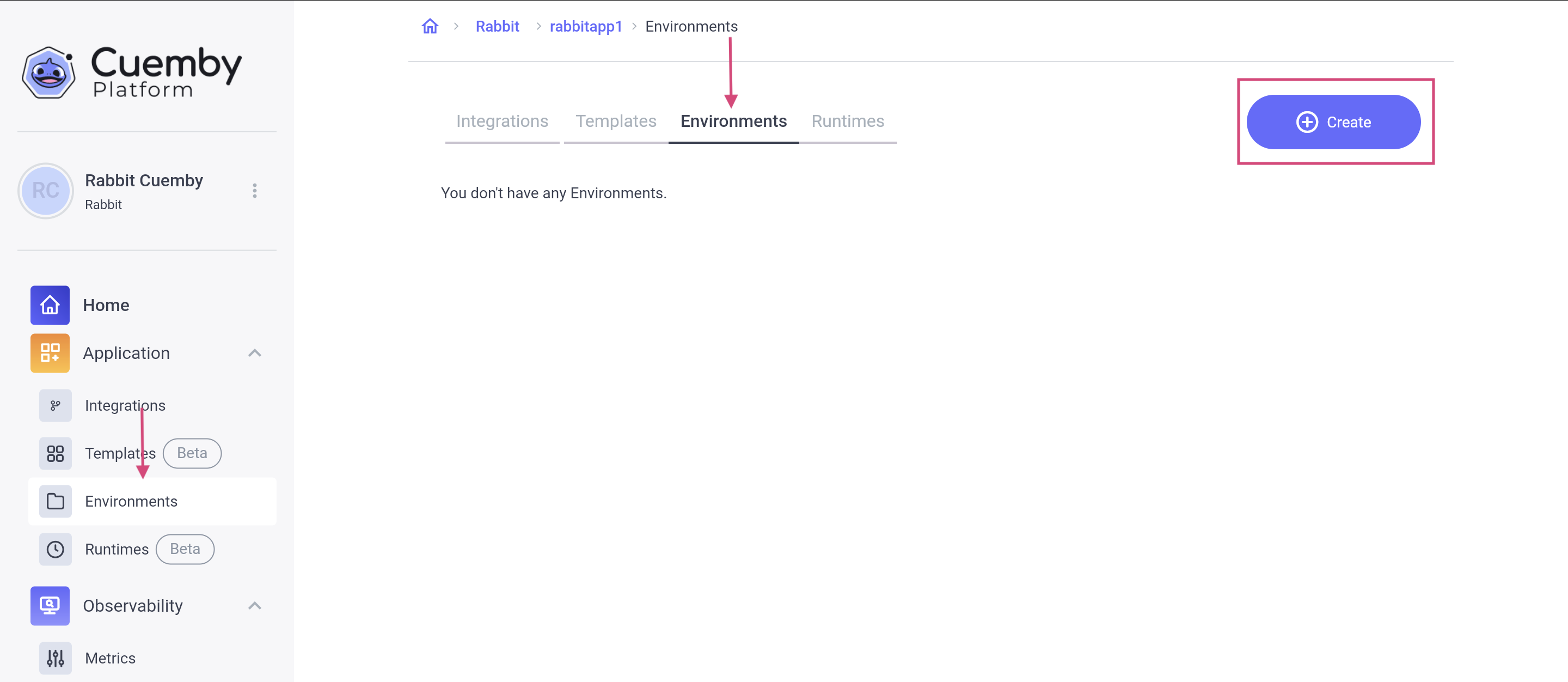
Inside your Project, navigate to the Environments tab.
Click "Create."
2.Fill in Environment Details
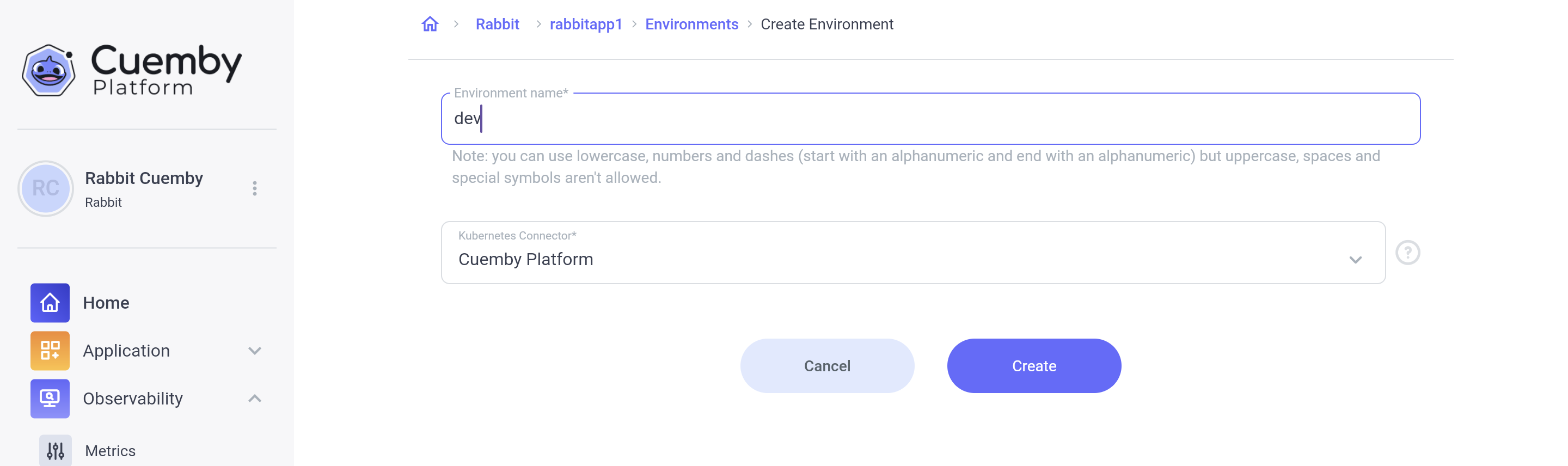
Environment Name – Choose a name (e.g., "production" or "dev").
- Allowed: Lowercase letters, numbers, dashes (-)
- Not Allowed: Uppercase letters, spaces, special symbols.
Kubernetes Connector – By default, applications are deployed on Cuemby Platform's managed Kubernetes infrastructure.
This configuration enables seamless deployment and management of applications within a Kubernetes cluster. It abstracts the complexities of cluster interactions, allowing you to deploy workloads without manually managing Kubernetes configurations.
Upcoming Feature: You will be able to deploy applications to their own Kubernetes clusters hosted on integrated public or private cloud providers (AWS, GCP, Azure, on-premise).
3. Save & Confirm
Click "Create."
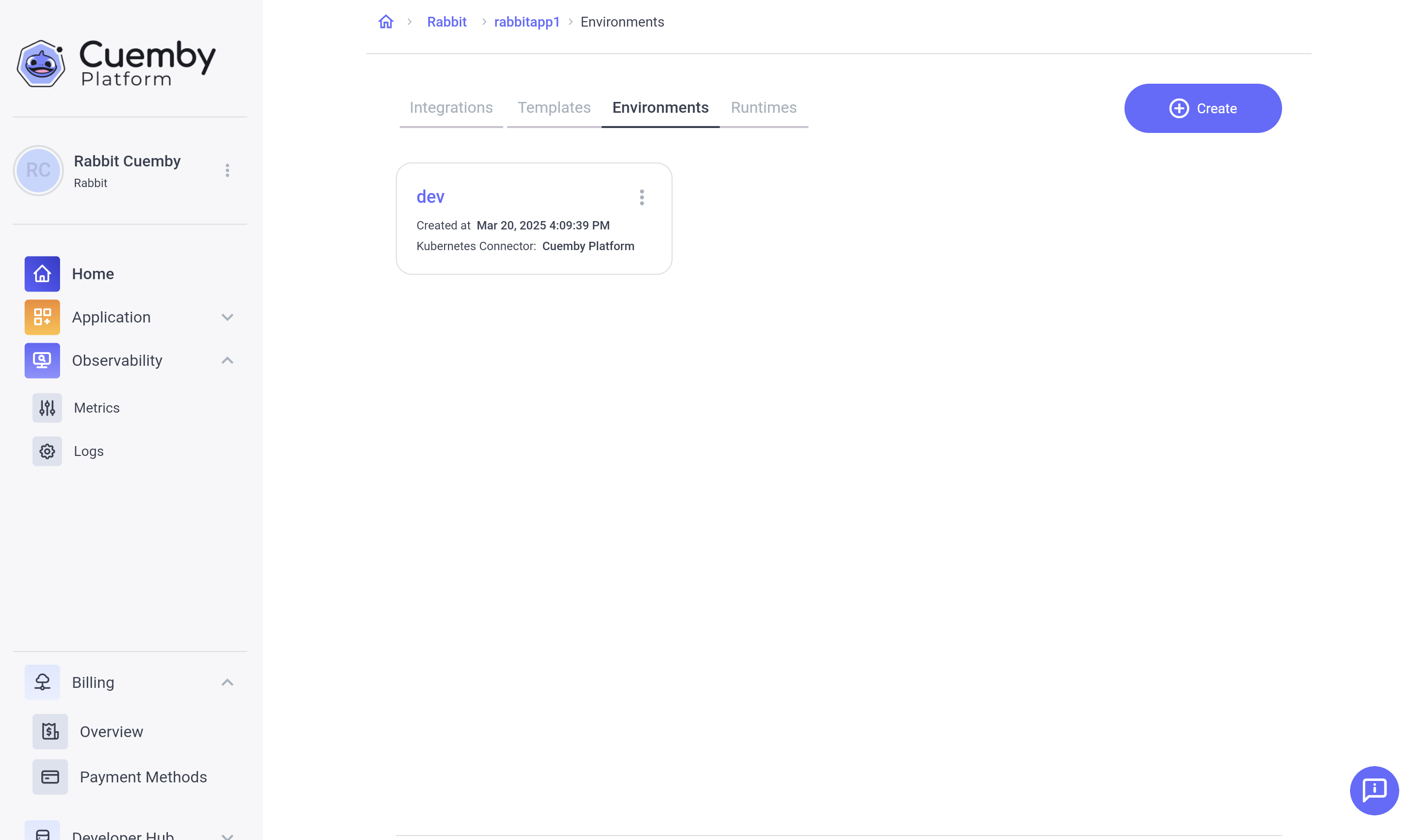
Your new Environment is now available!