Create DNS
Domain Name System (DNS) in Cuemby Cloud
The Domain Name System (DNS) is a critical component of the internet that translates human-readable domain names (e.g., google.com) into machine-readable IP addresses (e.g., 142.250.190.14). This system ensures that users can access websites and online services without memorizing numerical IP addresses.
Creating a Domain Name System
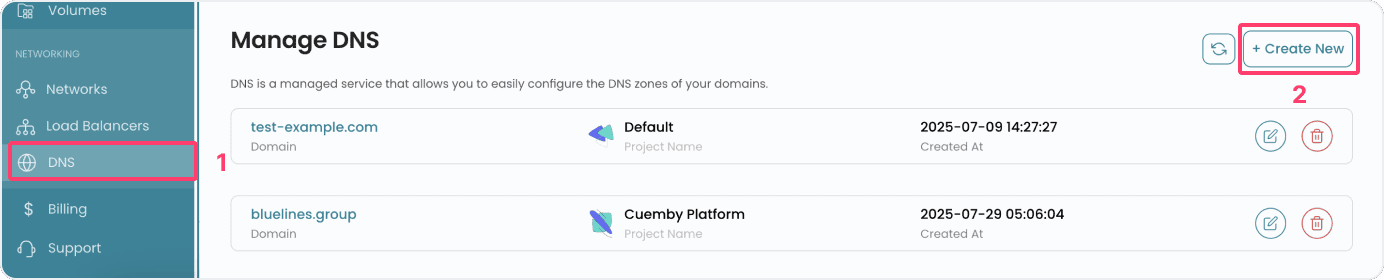
- From the left-hand side menu, click on the DNS tab.
- To create a DNS, click on the Create Load Balancer button located inside the modal of the Load Balancers page. This will open the DNS creation page.
Assign to a Project
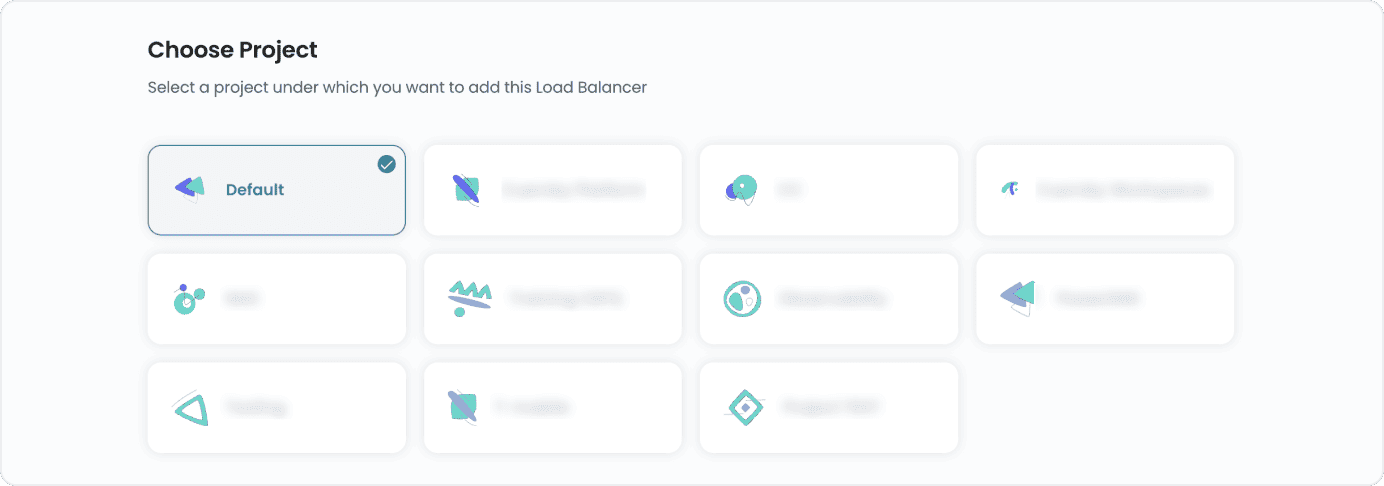
- Assign the load balancer to one of your projects to organize and manage resources effectively.
Add Domain Name

Conclusion
By following this guide, you can easily add and manage domains using the DNS feature in Cuemby Cloud. DNS simplifies the process of accessing websites and online services by translating domain names into IP addresses. For further assistance, refer to the Cuemby Cloud documentation or reach out to support.