Create VPC Networks
Create VPC Networks
A Virtual Private Cloud (VPC) network in the Cuemby Cloud provides an isolated, secure, and scalable environment for cloud resources. It allows users to manage their networking infrastructure efficiently, ensuring communication between cloud instances while maintaining security and performance.
- From the left-hand menu, click on the Networks tab.
- You will be redirected to the Networks page. Go to the VPC Network tab.
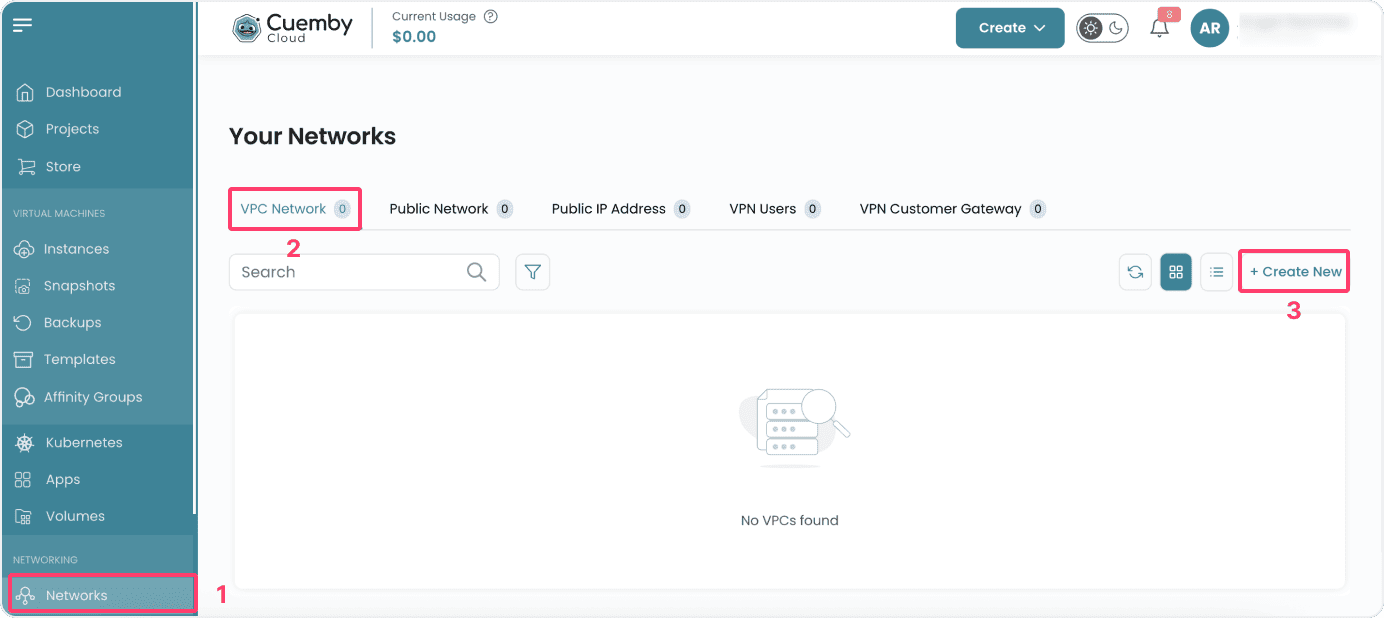
- To create a VPC network, click on the Create New button located inside the modal of the Networks page. This will open the VPC Network creation page.
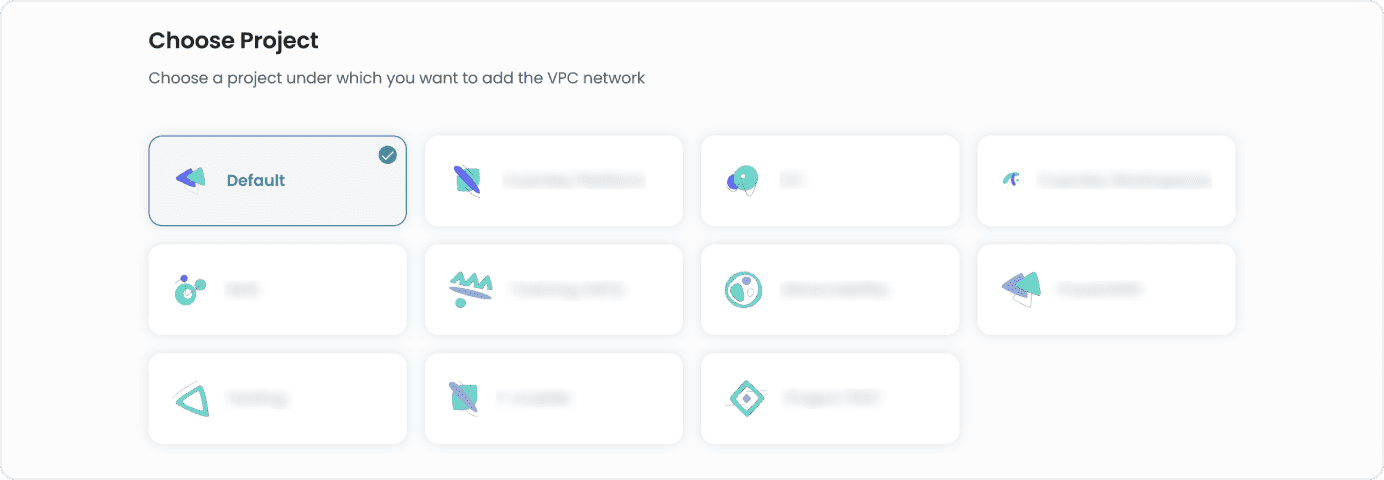
Assign to a Project
- You can choose projects to assign the server to one of your projects to organize and manage resources effectively.
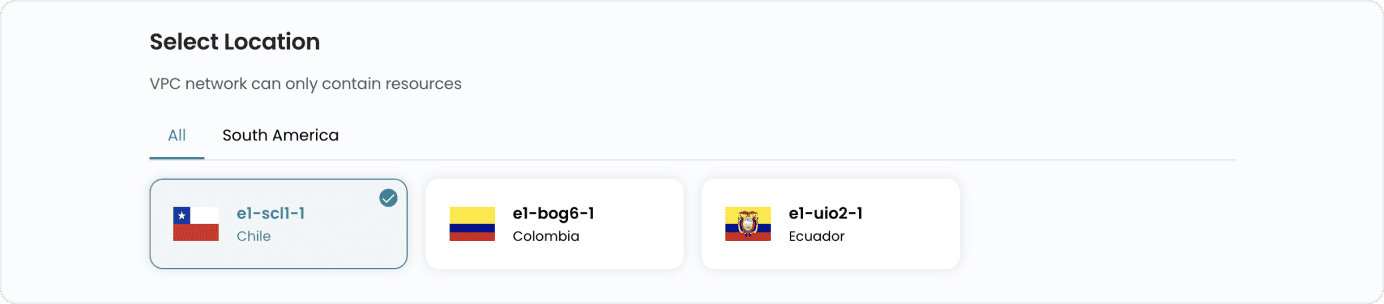
Choose a Location
- Select the data center location where your server will be physically hosted.
- Choose from the available locations listed.
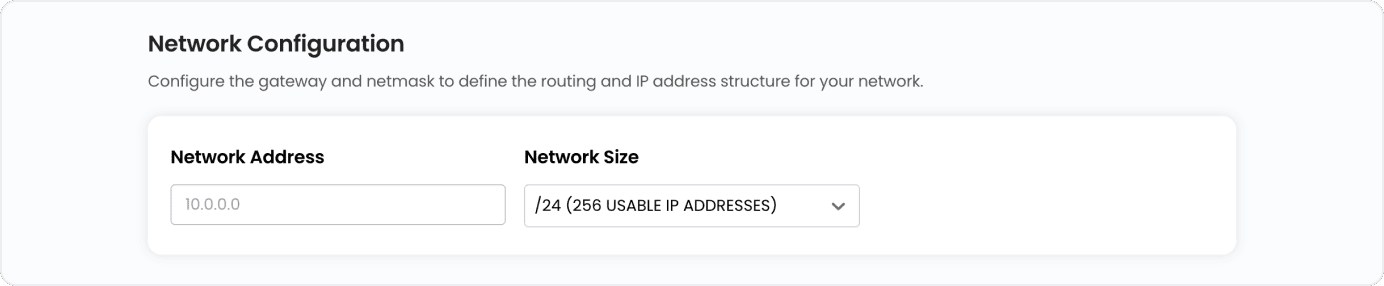
Network Configurations
- Configure the gateway and network mask to define the routing and IP address structure for your network. You can choose the size of the network from the available options.
Choose VPC Network Name
- Provide a unique name for your Virtual Private Cloud(VPC) to easily identify it, and optionally, add a description to clarify its purpose.


Conclusion
Creating a VPC Network in Cuemby Cloud provides a secure, isolated, and flexible environment for managing cloud resources. With configurable location, project assignment, and network settings, along with multiple billing options, VPC networks ensure optimized performance, scalability, and control over your cloud infrastructure.