Public IP Address
Public IP Address
A Public IP in Cuemby Cloud is an internet-facing IP address assigned to cloud resources, allowing them to be accessible from outside the private network. Public IPs are essential for web servers, APIs, and other services requiring direct internet access.
View Public IPs
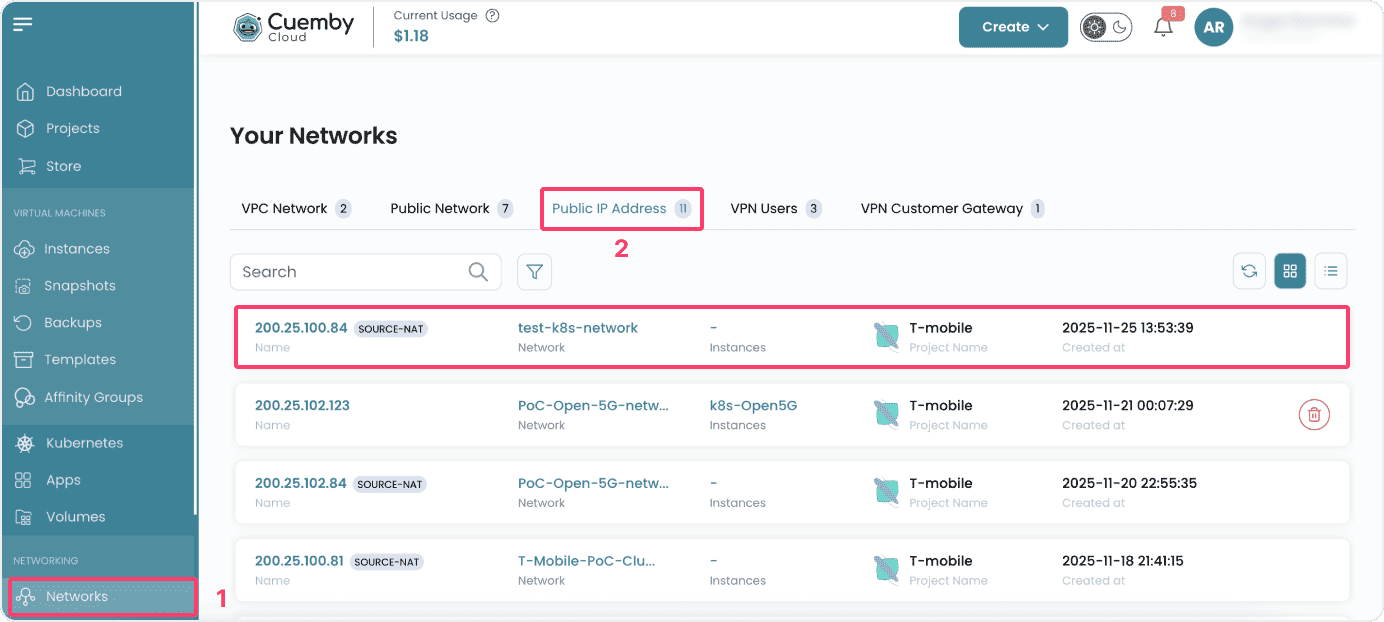
- From the left-hand menu, click on the Networks tab.
- You will be redirected to the Networks page. Go to the Public IP Address tab where you will see the Public IPs listed.
Public IP Details
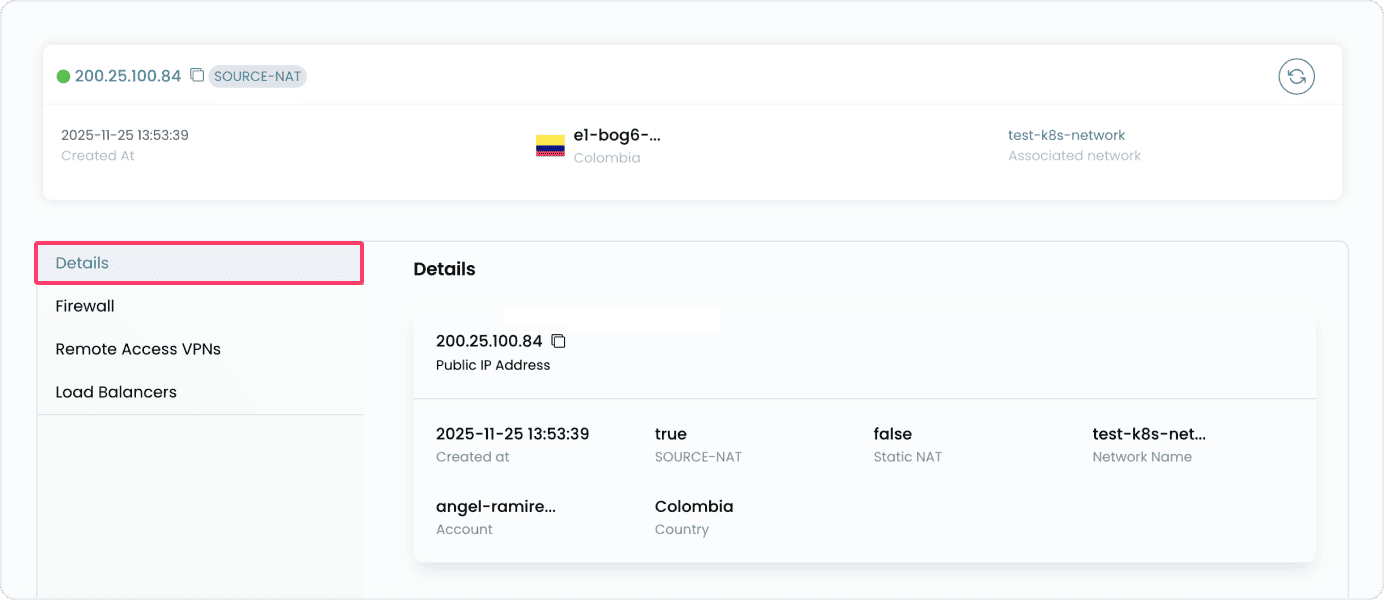
- To view more detail, click on the public IP instance.
- From the Details tab you can view the details like IP address, network name, account details, and country zone.Public IP Address
Add Firewall Rule
- Go to the Firewall tab where you will see firewall rules which have been set before.
- To add firewall rule click on Add Firewall Rule.
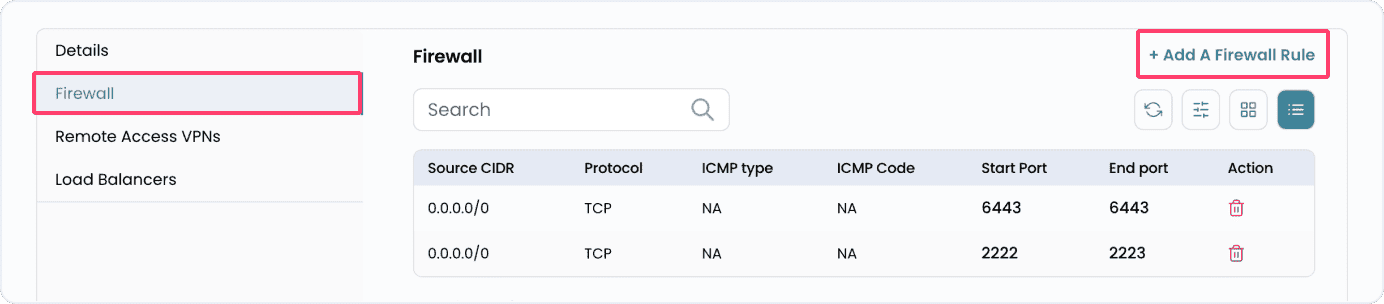
- Add source CIDR, and select protocol from TCP, UDP, ICMP.
- Add the Start and End port and click on Add Firewall Rule.

Enable Remote Access VPN
- Go to the Remote Access VPNs tab where you will see option to set remote access VPN.
- If you need secure remote access to the private network, click on Enable Remote Access VPN to activate a VPN connection.

Load Balancers
Conclusion
By following this guide, you can effectively manage Public IPs in Cuemby Cloud — whether it’s assigning IPs, applying firewall rules, configuring port forwarding, or enabling VPN access. These options help ensure your virtual infrastructure is accessible and secure.