VPN Users
VPN Users
A VPN User in Cuemby Cloud refers to an authenticated individual who connects to the cloud environment via a Virtual Private Network (VPN). This ensures secure remote access to private cloud resources.
- From the left-hand menu, click on the Networks tab.
- You will be redirected to the Networks page. Go to the VPN Users tab.
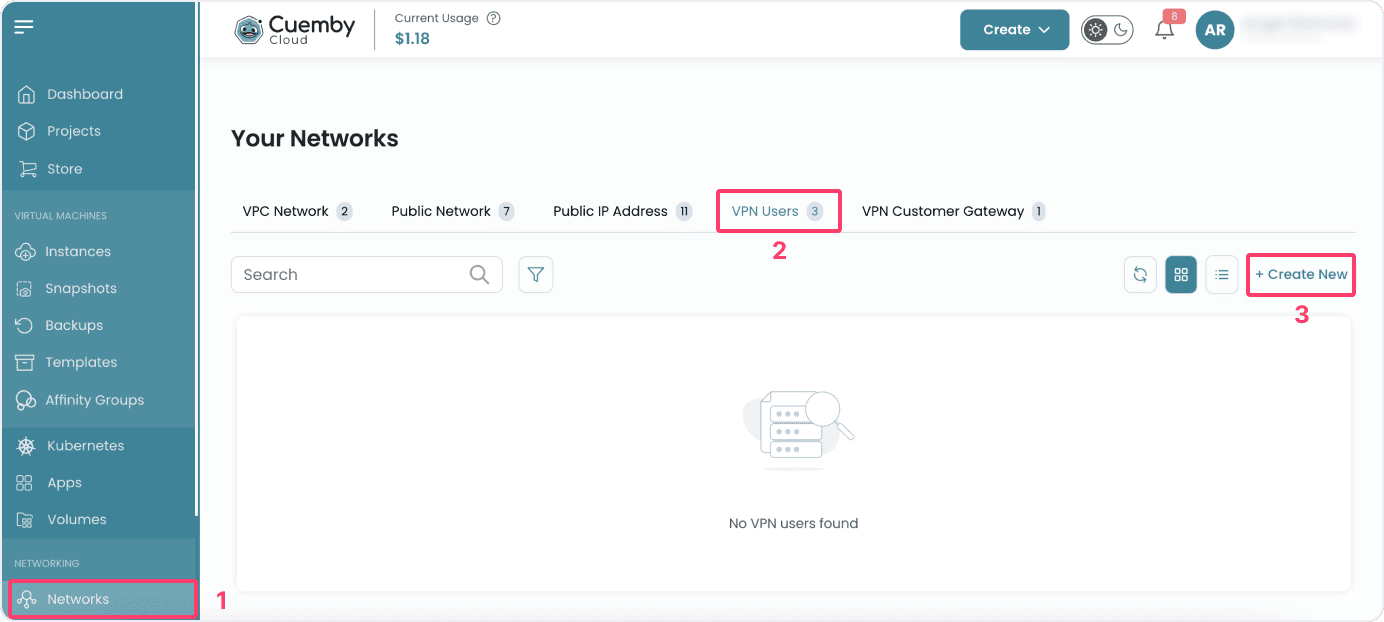
- To create a VPC user, click on the Create New button located inside the modal of the Networks page. This will open the VPC User creation modal.
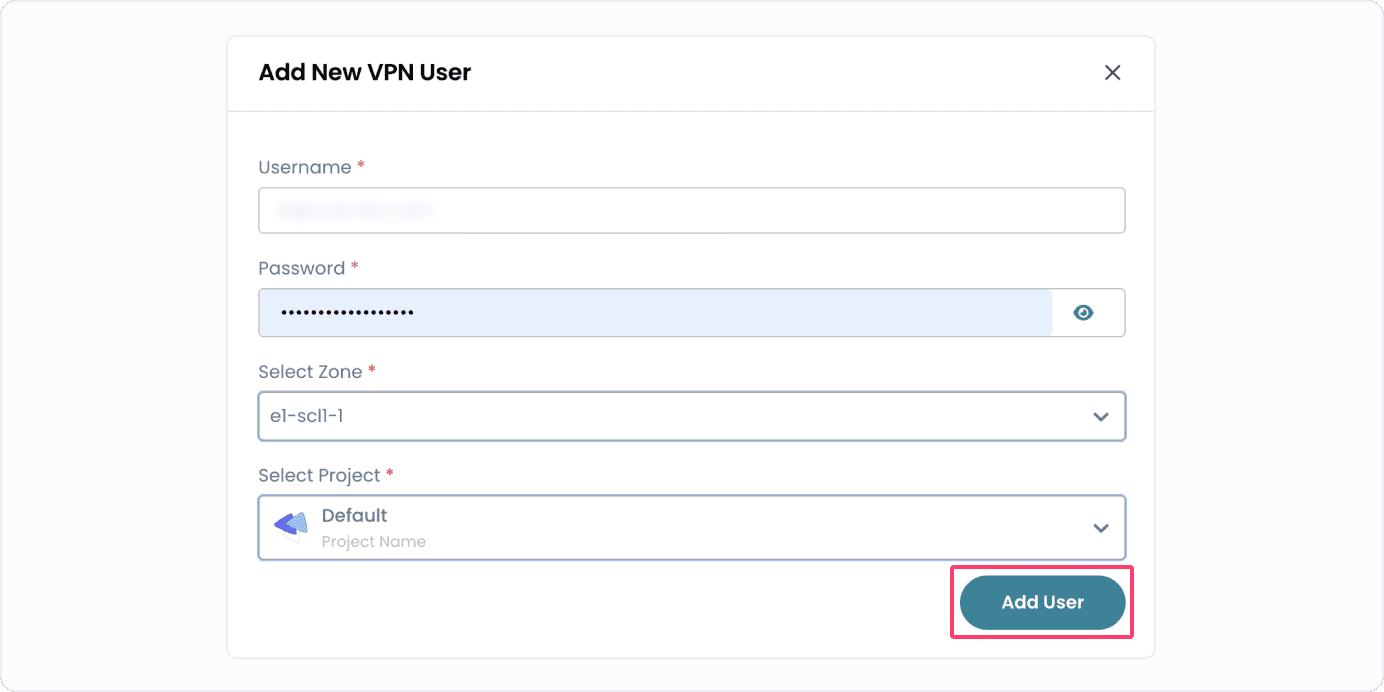
- Enter your Username and Password of Cuemby Cloud's account. To create VPN user, select the Project and Zone.
- Click on Add User to add vpn user.
Conclusion
The VPN Users feature allows you to securely add and manage authenticated users for remote access to cloud resources, ensuring safe connectivity and controlled access within your projects.